

AI Website Builders vs Traditional Web Design: Which Is Best for Your Business in 2026?
Artificial intelligence is changing the way websites are built. A few years ago, building a professional website meant hiring a web designer, choosing a WordPress theme, buying hosting, installing plugins, customizing pages, writing copy, optimizing images, setting up SEO, and testing responsiveness across devices. Today, an AI website builder can generate a full website draft from a short business description in minutes.
This has created a major question for business owners, startups, bloggers, agencies, creators, and digital marketers: should you build your website with AI or use the traditional method?
The answer is not as simple as “AI is better” or “traditional web design is better.” Both approaches have advantages. Both have limitations. The best option depends on your budget, business model, timeline, technical needs, branding goals, long-term growth plan, and how much control you want over your website.
AI website builders are becoming faster, smarter, and more attractive. Tools like Wix AI, Framer AI, Hostinger AI Website Builder, Durable, 10Web, Elementor AI Site Planner, Squarespace Blueprint AI, and Webflow AI can help users create websites faster than ever. Some of them generate layouts, copy, images, SEO settings, product pages, booking pages, forms, and even full business workflows. Wix, for example, says its AI website builder lets users describe their business and receive a custom, business-ready website that can be edited and published. Hostinger says its AI Website Builder can generate a full-featured website from a single description, including product pages, forms, and booking features.
ALSO, READ How to Optimize Website for AI: ChatGPT, Gemini & Copilot Search in 2026
But traditional web design is not dead. In fact, traditional platforms like WordPress, Wix, Webflow, Squarespace, and custom-coded websites remain extremely important. WordPress alone is used by 41.5% of all websites and 59.2% of websites whose content management system is known, according to W3Techs’ July 2026 data. That means despite the rise of AI, WordPress still powers a huge part of the modern web.
So, is AI replacing web designers? Not exactly. AI is changing the workflow, but it is not replacing strategy, branding, user experience, technical judgment, security, SEO expertise, conversion optimization, content planning, and business understanding. In many cases, AI is best used as an assistant, not as a complete replacement for professional website development.
This article compares AI website builders with traditional web design methods. It also explains the pros and cons of AI website builders, the best AI tools for building websites faster, when to use WordPress or Wix, and which approach is best for different types of businesses.
What Is an AI Website Builder?
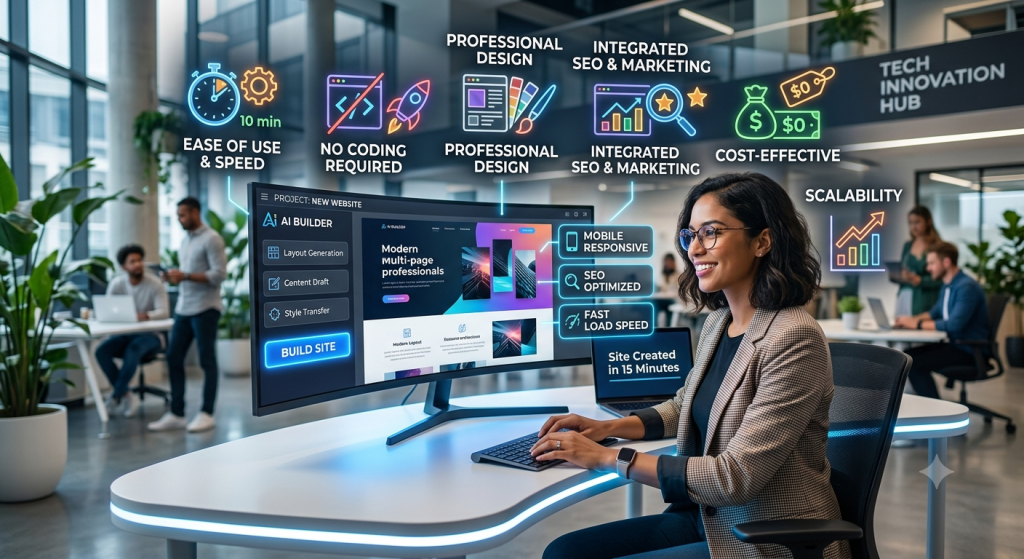
An AI website builder is a platform that uses artificial intelligence to help users create websites faster. Instead of manually choosing every page layout, writing every headline, searching for images, and arranging every section from scratch, the user gives the AI a prompt or answers a few questions. The AI then generates a website draft based on the business type, goals, audience, tone, services, and preferred style.
For example, a user may type:
“Build a modern website for a cybersecurity and digital marketing agency in Port Harcourt that offers website design, SEO, cloud security, and IT support. Use a professional dark blue design, include service pages, testimonials, a contact form, and a call-to-action to book a consultation.”
An AI website builder can use that information to generate a homepage, service sections, images, headings, buttons, page structure, and sometimes even SEO content. The result may not be perfect, but it gives the user a starting point that would have taken hours or days to build manually.
Some AI website builders are simple. They generate a basic website quickly for small businesses. Others are more advanced and include design editors, content generation, SEO tools, e-commerce features, booking systems, CRM tools, analytics, and marketing automation.
The main promise of AI website builders is speed. They reduce the time between “I need a website” and “I have a website draft ready to edit.” That is powerful for small businesses, entrepreneurs, creators, freelancers, and agencies working with tight deadlines.
What Is Traditional Website Development?
Traditional website development refers to the more established ways of building websites. This can include using WordPress, Wix, Squarespace, Webflow, Shopify, or building a website from scratch with HTML, CSS, JavaScript, PHP, React, Laravel, Node.js, or other technologies.
Traditional website development usually involves more human planning. A designer or developer may first define the website goals, target audience, user journey, sitemap, wireframe, brand identity, page layouts, content structure, SEO strategy, and technical requirements. After that, the website is designed, developed, tested, optimized, secured, and launched.
Traditional website building can happen in different ways.
The first method is using a content management system like WordPress. WordPress is popular because it is flexible, open source, and supported by a large ecosystem of themes, plugins, developers, and hosting companies. It can power blogs, business websites, e-commerce stores, learning platforms, directories, membership websites, news websites, and corporate platforms.
ALSO, READ 2026 Website Standards: What a High-Converting Website Must Include
The second method is using a no-code website builder like Wix, Squarespace, or Webflow. These tools allow users to build websites visually without writing code. Wix and Squarespace are especially popular among small businesses, creators, restaurants, consultants, and service providers. Webflow is popular among designers, startups, and marketing teams that want strong design control without fully custom code.
The third method is custom coding. This is where developers build a website or web application from scratch. Custom development is usually best for complex platforms, SaaS products, custom dashboards, marketplaces, enterprise systems, portals, and applications that need special logic, integrations, or performance requirements.
Traditional web design gives more control, but it also usually takes more time, more planning, and sometimes more money.
AI Website Builders vs Traditional Web Design: The Core Difference
The biggest difference between AI website builders and traditional web design is the starting point.
AI starts with automation. You describe what you want, and the tool generates a draft. The process is fast, prompt-based, and beginner-friendly.
Traditional web design starts with intentional planning. You define the structure, choose the platform, design the experience, write the content, configure the backend, and build the pages manually or semi-manually.
AI is faster at producing a first draft. Traditional development is stronger for strategic control, scalability, deep customization, and long-term ownership.
AI is excellent when speed matters. Traditional development is better when the website is central to your business operations and must be built around specific goals, branding, security, integrations, and conversion strategy.
In simple terms, AI can build a website quickly. A skilled web designer builds a website intentionally.
Why AI Website Builders Are Becoming Popular
AI website builders are growing because many people need websites but do not have the time, money, or technical knowledge to build from scratch. A small business owner may not understand WordPress hosting, domain DNS, theme setup, plugin conflicts, page builders, image optimization, SEO metadata, and mobile responsiveness. AI simplifies the process.
Wix says its AI website builder uses a conversational interface where users describe their vision, get a custom site, edit it with drag-and-drop tools, and publish with marketing tools. OpenAI’s own case study on Wix also notes that Wix’s AI Website Builder, powered by OpenAI technology, lets users create a full website by describing their idea in a conversation.
This kind of workflow is attractive because it removes the fear of starting. Many business owners delay launching websites because they do not know what pages they need, what content to write, or how to design the site. AI gives them a foundation.
AI website builders are also popular because they combine multiple tasks. Some tools can write copy, generate images, suggest SEO titles, build layouts, create forms, add e-commerce pages, and connect business tools. Hostinger describes its AI tools as a stack that can help users create a website, write content, design a logo, improve SEO, manage emails, and run a business online.
For agencies and freelancers, AI can also speed up early drafts. Instead of spending days creating a basic mockup, a designer can use AI to generate ideas, page structure, wireframes, and content direction. The professional still edits and improves the result, but the blank-page problem is reduced.
The Advantages of Using AI to Build Websites
The first advantage is speed. AI website builders can generate a site draft in minutes. Durable claims users can create a website in 30 seconds, then use collaboration, marketing, and customer management tools inside its AI-powered platform. Even if the final website still needs editing, this speed is useful for early-stage businesses.
The second advantage is lower technical barrier. A beginner does not need to understand hosting, CSS, page builders, wireframes, typography hierarchy, or responsive design before getting a first draft. The AI handles much of the initial setup.
The third advantage is content support. Many business owners struggle to write website copy. AI can generate headlines, service descriptions, about-page content, FAQs, calls-to-action, and SEO descriptions. This does not mean the copy will be perfect, but it gives the user something to improve.
The fourth advantage is affordability. Hiring a professional designer or developer can be expensive, especially for startups with limited budgets. AI builders provide a cheaper way to create a basic online presence.
The fifth advantage is faster testing. If you want to test a business idea, landing page, event page, course page, personal brand page, or small service website, AI can help you launch quickly and validate the idea before investing heavily.
The sixth advantage is accessibility for non-technical users. AI builders make website creation easier for pastors, authors, coaches, small business owners, freelancers, NGOs, consultants, and creators who simply need a professional online presence.
The seventh advantage is idea generation. Even if you do not use the AI-generated site, the tool can help you discover possible page sections, design directions, service arrangements, color ideas, and content structures.
The Disadvantages of Using AI to Build Websites
Despite the hype, AI website builders have serious limitations.
The first downside is generic design. Many AI-generated websites look similar because they use common layouts, predictable sections, repeated design patterns, and average visual styles. This issue is becoming so noticeable that Business Insider recently reported on Base44’s attempt to reduce “AI-slop” designs by building its own UI-focused model, after concerns that AI-coded websites often look similar when built with general-purpose models.
The second downside is limited strategy. AI can generate a website, but it may not understand your business deeply. It may not know your market positioning, customer objections, conversion goals, local competition, brand tone, pricing structure, sales funnel, or SEO opportunity. A professional web strategist will ask questions that AI may miss.
The third downside is weak originality. AI often produces safe, average, polished designs rather than bold, unique, brand-defining experiences. For a basic local business, that may be enough. For a premium brand, it may not be.
The fourth downside is content accuracy. AI-generated copy can sound good but still be vague, repetitive, exaggerated, or inaccurate. If you run a legal, health, finance, cybersecurity, education, or technical website, you must review every claim carefully.
The fifth downside is platform lock-in. Some AI website builders make it difficult to export your site or move it elsewhere. If your business grows and you want more control, migration can become painful. This is one reason WordPress remains attractive: you can move hosting, edit code, change themes, install plugins, and control the database.
The sixth downside is customization limits. AI builders are fast, but they may not give you deep control over backend logic, database structures, custom user roles, advanced integrations, or unique application features.
The seventh downside is SEO limitations. AI can generate meta descriptions and page titles, but SEO is more than filling boxes. Real SEO requires keyword research, search intent analysis, internal linking, technical optimization, content depth, schema, topical authority, backlinks, and performance monitoring.
The eighth downside is possible performance issues. Some website builders add heavy scripts, unnecessary code, and bloated design elements. A human developer can optimize performance more carefully.
The ninth downside is security and maintenance uncertainty. Users may assume the AI has handled everything, but websites still need SSL, backups, updates, access control, spam protection, malware monitoring, privacy policies, secure forms, and regular maintenance.
The tenth downside is overconfidence. AI makes building look easy, but a website is not just pages. A website is a business asset. If it is not planned properly, it may look nice but fail to attract traffic, generate leads, build trust, or convert customers.
Top AI Website Builders to Consider in 2026
There are many AI website builders, but some are more relevant than others. Below are some of the strongest tools businesses and web creators should know.
1. Wix AI Website Builder
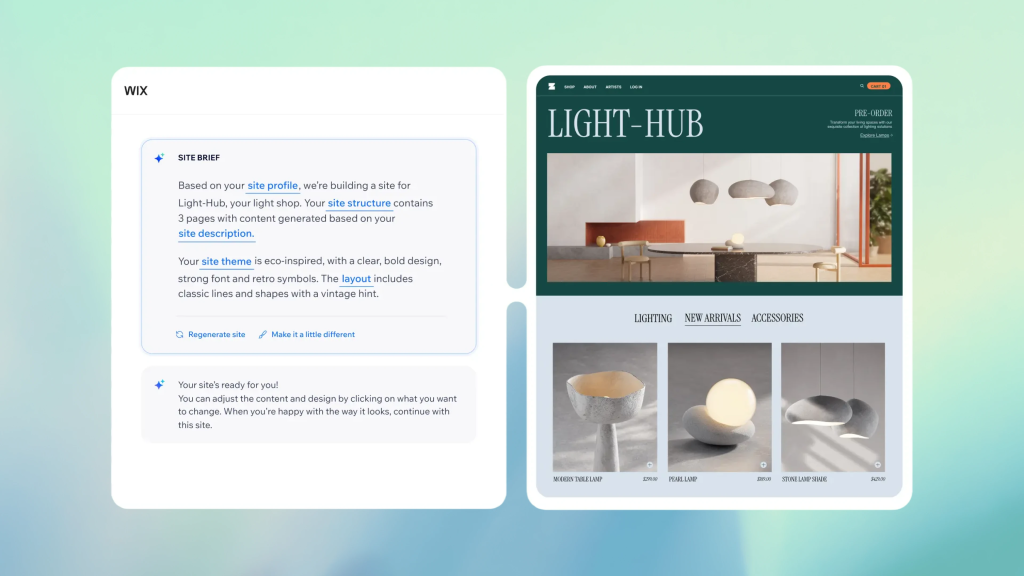
Wix AI is one of the most popular AI website-building options because it combines AI generation with a mature website builder. Wix allows users to describe their business, generate a custom website, edit the design, and publish using Wix’s built-in business and marketing tools.
Wix is especially good for small businesses, consultants, coaches, restaurants, portfolios, event pages, service providers, and entrepreneurs who want a professional website quickly. It offers drag-and-drop editing, templates, business apps, SEO tools, e-commerce options, booking features, and marketing tools.
The biggest strength of Wix AI is convenience. It gives users a complete ecosystem. You can build, edit, publish, manage bookings, sell products, run basic marketing, and connect a domain from one platform.
The downside is that Wix can be limiting for advanced developers. While it is powerful for no-code users, it is not always ideal for complex custom systems or businesses that want full backend control. Migration can also be more difficult than with open-source platforms.
Best for: small businesses, creators, service providers, personal brands, local businesses, and fast business websites.
2. Hostinger AI Website Builder
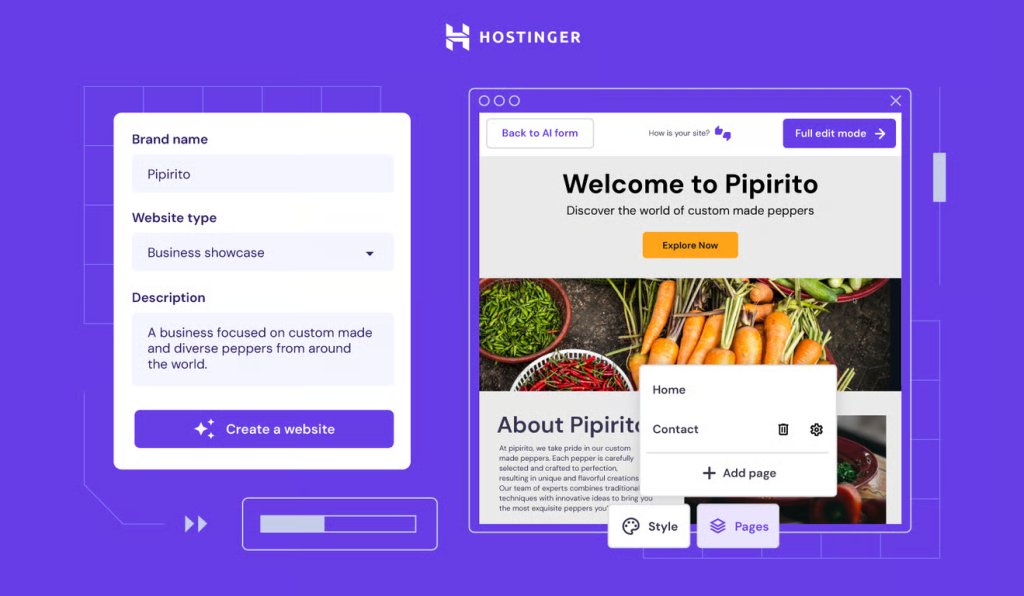
Hostinger AI Website Builder is another strong option for beginners and small businesses. Hostinger says users can generate a full-featured website from a single business description, including product pages, forms, booking features, and more. After generation, users can customize the site visually with a drag-and-drop editor.
Hostinger’s advantage is affordability and simplicity. It is useful for users who want hosting, domain support, AI tools, and website creation in one place. Hostinger also promotes AI tools for writing content, logo design, SEO, emails, and business operations.
The downside is that it may not be ideal for complex websites that require deep integrations, custom features, or advanced design freedom. Reviews also note limitations such as fewer advanced ecosystem features compared with some competitors. TechRadar’s 2026 review praised Hostinger’s ease of use, responsive design, AI tools, SSL, backups, and affordability, but also noted limitations such as no app marketplace and no template switching without starting over.
Best for: beginners, small businesses, landing pages, simple e-commerce, portfolios, service pages, and budget-conscious website owners.
3. Durable AI Website Builder
Durable is focused on helping small businesses launch quickly. The platform promotes itself as an AI business builder that can create a website, help with SEO and GEO, manage customers, and support AI marketing. Durable also says its AI website builder can create a website in 30 seconds and includes collaboration, marketing, and customer management tools.
Durable is useful for service businesses that need a fast online presence. It can be helpful for consultants, repair services, contractors, coaches, local service providers, and small operators who do not want a complicated build process.
Its strength is speed. Its weakness is depth. If your goal is a highly customized brand website or complex digital platform, Durable may feel too limited.
Best for: very fast small-business websites, simple service pages, early-stage testing, and quick MVP business presence.
4. Framer AI
Framer is popular among designers, startups, and creators who want modern, polished, interactive websites. Framer describes itself as an AI website builder for professional sites, with no-code design, CMS content, SEO optimization, collaboration, and fast publishing. Framer’s AI page also says its AI agents can generate pages, refine layouts, write code components, translate content, review SEO, and publish from the canvas.
Framer is especially strong for landing pages, SaaS websites, startup websites, portfolios, product pages, and modern marketing websites. It gives more design freedom than many simple AI builders.
The downside is that Framer may still require design judgment. A beginner can generate something, but a professional designer will get better results because Framer rewards strong visual taste and structure. Also, it may not be the best platform for large, complex content-heavy websites compared with WordPress or custom development.
Best for: startups, SaaS landing pages, portfolios, digital products, modern brand websites, and designers who want speed plus creative control.
5. 10Web AI Website Builder
10Web is especially interesting because it connects AI website building with WordPress. Its AI Website Builder says it can interpret prompts and generate layouts, color palettes, and typography that match the brand’s vibe. Its WordPress AI Builder says users can describe their business, let AI generate layout, edit the website, tweak design, and generate a functional WordPress site.
This makes 10Web attractive for users who like the speed of AI but still want WordPress as the foundation. It can be useful for agencies, freelancers, small businesses, and WordPress professionals who want faster first drafts.
The downside is that the AI-generated output still needs human editing. Also, depending on the setup, users may face platform-specific limits around hosting, customization, or workflows.
Best for: WordPress users, agencies, small businesses, WooCommerce sites, and users who want AI speed with WordPress flexibility.
6. Elementor AI Site Planner
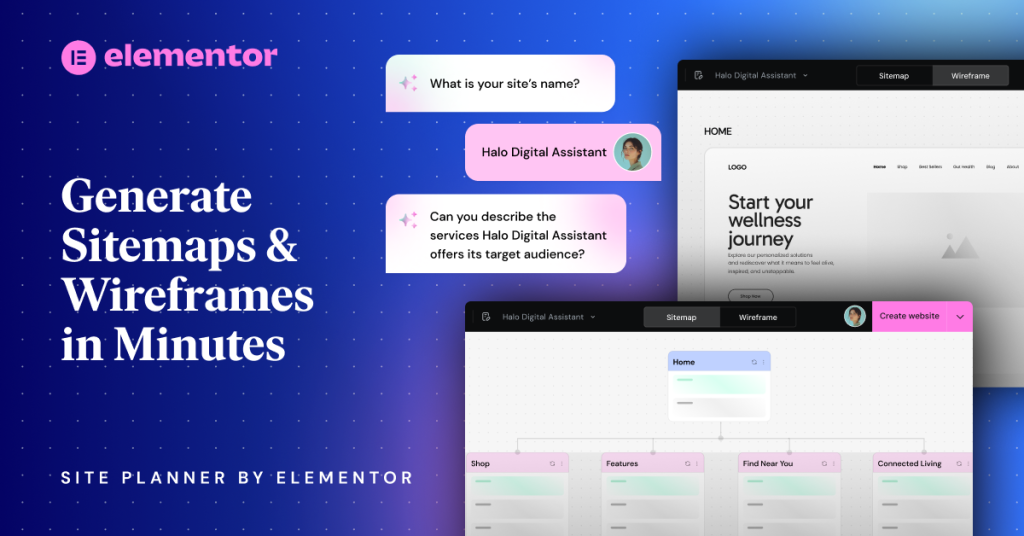
Elementor is already one of the most popular WordPress page-building ecosystems. Its AI Site Planner helps web creators generate sitemaps, briefs, and wireframes faster. Elementor describes the tool as a way to generate sitemaps and wireframes in minutes. Elementor also says the AI Site Planner helps create automated briefs, sitemaps, and high-fidelity wireframes, helping creators get to a first draft faster.
This is powerful because many website projects fail at the planning stage. Business owners often jump straight into design without knowing what pages they need. Elementor AI Site Planner can help structure the website before design begins.
The advantage is that Elementor works inside the WordPress ecosystem, which means you can combine AI planning with WordPress flexibility. The downside is that Elementor-based sites still require performance optimization, plugin management, updates, and professional design judgment.
Best for: WordPress designers, agencies, freelancers, WooCommerce builders, and businesses that want structured planning before design.
7. Webflow AI
Webflow is known for visual design control, clean front-end output, CMS features, and modern marketing websites. Webflow now positions itself as an AI-native platform for creating and optimizing web experiences, with an AI site builder, CMS support, native analytics, AI search visibility, and enterprise-grade features. Webflow’s AI site builder page says Webflow AI can help generate new pages, CMS collection items, native SEO and AEO features, and answer questions inside the Webflow editor.
Webflow is stronger than many simple builders for custom design and marketing sites. It is often used by startups, SaaS companies, agencies, and brands that need professional visual quality.
The downside is that Webflow has a learning curve. It is no-code, but it is not always beginner-simple. Users who understand layout, box models, CMS structure, responsiveness, and design systems will get better results.
Best for: startups, agencies, SaaS websites, marketing websites, professional portfolios, and businesses that want design control without full custom coding.
8. Squarespace Blueprint AI
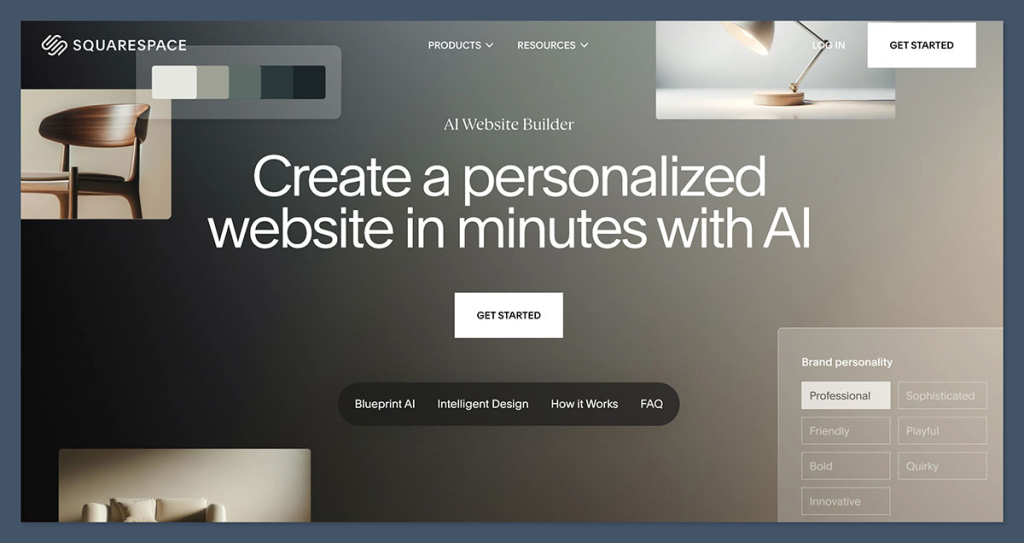
Squarespace is known for elegant templates and design simplicity. Its AI website builder, Blueprint AI, helps users create a personalized website in minutes. Squarespace says Blueprint AI combines technology with 20 years of human design expertise to help users create a custom website that stands out.
Squarespace is especially good for creatives, photographers, consultants, writers, personal brands, event pages, restaurants, and small e-commerce websites. The design quality is usually clean and professional.
The downside is customization limits. Squarespace is not ideal for highly complex websites, advanced custom systems, or deep plugin-style flexibility. TechRadar’s 2026 review praised Squarespace’s templates, SEO, marketing tools, and AI features, but noted limitations such as template constraints and challenges with third-party integrations.
Best for: creatives, portfolios, small shops, service providers, restaurants, personal brands, and visually polished simple websites.
Traditional Website Building: Why WordPress Still Matters
Despite all the excitement around AI, WordPress remains one of the most important website platforms in the world. The reason is flexibility. WordPress can be used for a simple blog, corporate website, magazine, church website, course platform, online store, membership site, directory, job board, portfolio, booking platform, and more.
W3Techs’ July 2026 data shows WordPress is used by 41.5% of all websites and 59.2% of websites with a known CMS. That level of adoption means there is a huge ecosystem of themes, plugins, developers, hosting providers, tutorials, agencies, security tools, SEO plugins, and integrations.
WordPress is powerful because it gives ownership and extensibility. You can choose your hosting provider, install plugins, customize themes, edit code, connect payment systems, add SEO tools, improve performance, and move your website if needed.
For businesses that care about content marketing, WordPress is still one of the best choices. It is excellent for blogs, SEO-driven websites, news websites, affiliate websites, service business websites, and content hubs. For a brand like 24SevenHub, WordPress is especially useful because it supports long-form content, categories, internal linking, SEO plugins, schema, and editorial publishing.
The downside of WordPress is maintenance. You must handle hosting, updates, backups, security, plugin compatibility, performance, spam protection, and sometimes technical troubleshooting. WordPress’s strength—its plugin ecosystem—can also become a weakness when plugins are poorly coded, outdated, or conflicting. Recent commentary around WordPress alternatives has also highlighted concerns around plugin security and architecture, showing why proper WordPress maintenance matters.
WordPress is best when you want flexibility, long-term growth, SEO content publishing, custom functionality, and ownership.
Traditional Website Builders: Wix, Squarespace, and Webflow
Traditional no-code builders still matter, even as they add AI features.
Wix is strong for small businesses that want convenience. It includes templates, AI tools, business apps, booking, e-commerce, marketing tools, and drag-and-drop editing. Wix says its platform includes 2,000+ templates, built-in AI tools, and custom domain options.
Squarespace is strong for design-focused websites. It provides templates, AI website builder tools, drag-and-drop editing, marketing tools, seller features, invoicing, and domain services.
Webflow is strong for professional design and modern marketing sites. It is ideal when a business wants more control over layout and interactions without building fully from scratch.
These tools are traditional in the sense that users still edit visually and manage the site inside a builder. But they are now becoming AI-assisted platforms. The line between AI and traditional web design is getting blurry. In 2026, many website builders are no longer purely manual. They now combine traditional editing with AI generation.
Custom-Coded Websites: When Building from Scratch Is Still Best
Building from scratch is still the best option for complex web applications and serious digital products. If you need a custom dashboard, SaaS platform, booking engine, fintech app, school portal, logistics platform, marketplace, data-heavy application, custom user permissions, advanced API integrations, or unique backend logic, AI website builders may not be enough.
Custom-coded websites allow full control over frontend, backend, database, security, performance, scalability, and user experience. Developers can choose the right stack, architecture, security model, and deployment process.
The downside is cost and time. Custom development usually requires skilled developers, project management, testing, documentation, security review, deployment, and ongoing maintenance. For a simple business website, custom coding may be unnecessary. For a serious platform, it may be essential.
Custom development is best when the website is not just a brochure but a product.
AI vs WordPress: Which Is Better?
AI website builders are better for speed. WordPress is better for control and long-term growth.
Use AI if you need a quick landing page, simple business website, portfolio, event page, or first draft. Use WordPress if you need SEO content publishing, plugin flexibility, blog growth, e-commerce expansion, membership features, or long-term ownership.
However, the best option may be AI plus WordPress. Tools like 10Web and Elementor AI Site Planner show that AI can help speed up WordPress workflows. You can use AI to generate a sitemap, content draft, wireframe, layout ideas, and design direction, then build properly in WordPress.
For 24SevenHub and similar agencies, this hybrid approach is powerful. AI can reduce production time, while WordPress gives the client flexibility and long-term value.
AI vs Wix: Which Is Better?
This comparison is interesting because Wix itself now includes strong AI features. Wix AI is not really separate from Wix; it is part of the Wix ecosystem.
If you want a simple business website with easy editing, built-in tools, and fast setup, Wix AI is a strong choice. If you want full ownership, deeper customization, or advanced SEO/content publishing flexibility, WordPress may be better.
Wix is great for convenience. WordPress is great for control. Custom coding is great for complexity.
For small local businesses, Wix AI may be enough. For content-heavy brands, agencies, and businesses that want long-term organic growth, WordPress is usually stronger.
AI vs Webflow: Which Is Better?
AI website builders are often easier than Webflow, but Webflow gives more professional design control. Framer and Webflow are strong choices for modern visual websites, especially startups and SaaS companies.
Use AI-only builders if you need speed and simplicity. Use Webflow if you want design precision, CMS control, marketing pages, animations, and a more professional no-code workflow.
Webflow AI can help generate pages and optimize content, but Webflow still works best in the hands of someone who understands design structure.
AI vs Custom Development: Which Is Better?
AI website builders cannot fully replace custom development for complex projects. They are excellent for basic websites and fast drafts, but they are not always suitable for custom dashboards, portals, SaaS products, advanced integrations, or business-critical systems.
Use AI for simple websites. Use custom development for serious web applications.
However, developers can still use AI tools to write code faster, create components, generate documentation, test ideas, and accelerate development. AI is useful even in custom development, but it does not remove the need for skilled engineering.
Which Option Is Best for Small Businesses?
For most small businesses, the best option depends on the business stage.
If the business has no website and needs to go online quickly, AI website builders like Wix AI, Hostinger AI, Durable, or Squarespace Blueprint AI can be excellent.
If the business plans to use blogging, SEO, lead generation, landing pages, and long-term content marketing, WordPress is usually better.
If the business needs a visually premium brand website, Webflow or Framer may be stronger.
If the business needs a custom portal or application, custom development is best.
The key is not to choose the trendiest tool. Choose the tool that matches the business goal.
Which Option Is Best for Agencies?
For agencies, AI is not a threat if used wisely. It is a productivity tool.
A smart web agency can use AI to generate first drafts, sitemaps, wireframes, page copy, FAQs, design ideas, SEO outlines, and client mockups. But the agency should still provide strategy, branding, UX, conversion optimization, technical setup, SEO, security, performance, and maintenance.
Clients do not only pay for pages. They pay for results. They pay for a website that represents their brand, builds trust, ranks on search engines, generates leads, and supports business growth.
AI can help agencies deliver faster, but human expertise is still the difference between an average website and a high-performing website.
The Best Hybrid Approach: AI-Assisted Traditional Web Design
The strongest approach in 2026 is not AI alone or traditional alone. It is AI-assisted traditional web design.
This means using AI to speed up the early and repetitive parts of website creation, while still relying on human strategy and professional development for the final result.
A strong hybrid workflow looks like this:
First, use AI to generate a sitemap and content structure.
Second, use AI to create wireframe ideas.
Third, use AI to draft page copy and FAQs.
Fourth, use a professional designer or developer to refine the layout, branding, UX, and conversion flow.
Fifth, build the site on WordPress, Webflow, Wix, Framer, Shopify, or custom code depending on the business goal.
Sixth, optimize SEO, speed, security, analytics, forms, and calls-to-action.
Seventh, test the website on mobile, tablet, and desktop.
Eighth, launch with a maintenance and content plan.
This gives the best of both worlds: AI speed and human quality.
Final Verdict: AI or Traditional Web Design — Which Is Best?
AI website builders are best for speed, affordability, quick drafts, simple websites, and beginners who need to launch fast. They are excellent for small businesses, landing pages, portfolios, event pages, and testing new ideas.
Traditional web design is best for strategy, customization, SEO growth, branding, scalability, security, ownership, and complex business needs. WordPress remains powerful for content-driven websites. Wix and Squarespace remain strong for simple business websites. Webflow and Framer are excellent for modern marketing and startup sites. Custom development is still best for complex platforms and web applications.
So, which is best?
The best answer is this: use AI to build faster, but use professional web strategy to build better.
AI can generate a website, but it cannot fully replace business thinking. It can create a layout, but it may not understand your customer journey. It can write copy, but it may not communicate your unique authority. It can suggest SEO, but it cannot replace deep keyword research and content strategy. It can design a page, but it may not know what will convert your specific audience.
For serious businesses, the winning formula is not AI versus traditional web design. The winning formula is AI plus professional web development.
If you need a website quickly, AI can help you start. If you need a website that grows with your business, attracts customers, ranks on Google, builds trust, and supports long-term revenue, you still need strategy, structure, optimization, and professional execution.
In 2026, the best websites will not be built by AI alone. They will be built by people who know how to use AI intelligently.
FAQ Section for Rank Math Schema
What is the difference between AI website builders and traditional web design?
AI website builders use artificial intelligence to generate website layouts, content, images, and page structures quickly based on user prompts. Traditional web design involves manually planning, designing, developing, testing, and optimizing a website using platforms like WordPress, Wix, Webflow, Squarespace, or custom code.
2. Are AI website builders better than WordPress?
AI website builders are faster for creating simple websites, but WordPress is usually better for long-term flexibility, SEO content publishing, plugin support, customization, and ownership. For serious business websites, a hybrid approach using AI for planning and WordPress for development can be very effective.
3. Can AI build a professional business website?
Yes, AI can build a professional-looking website, especially for small businesses, portfolios, landing pages, consultants, and service providers. However, AI-generated websites still need human editing, brand refinement, SEO optimization, security setup, and conversion strategy.
4. What are the best AI website builders in 2026?
Some of the best AI website builders in 2026 include Wix AI, Hostinger AI Website Builder, Durable, Framer AI, 10Web, Elementor AI Site Planner, Webflow AI, and Squarespace Blueprint AI.
5. What are the disadvantages of using AI to build websites?
The main disadvantages include generic design, limited customization, weak business strategy, possible SEO limitations, platform lock-in, content inaccuracies, and less control over backend functionality compared to WordPress or custom development.
6. Is traditional web design still important in 2026?
Yes. Traditional web design is still important for businesses that need strong branding, custom functionality, SEO growth, advanced integrations, better security, scalable structure, and long-term website ownership.